

BNL Courier Tracking
BNL Courier, also known as BNL Air Service, is an established logistics provider in India offering comprehensive courier and cargo services for domestic and international destinations. Understanding how to effectively track BNL shipments ensures visibility throughout the delivery journey and enables better planning for both senders and recipients.
What is BNL Courier?
BNL Courier (BNL Air Service) was founded in 1989 in Kolkata by BN Laha, who entered the logistics industry with a vision to provide reliable courier solutions for both domestic and commercial sectors. The company has grown steadily over the past 29 years, establishing itself as a trusted logistics partner in the Indian market.
BNL operates through a network of regional offices in major Indian cities including Mumbai, Delhi, Kolkata, and Ahmedabad. The company employs over 1,200 experienced professionals dedicated to ensuring timely deliveries and customer satisfaction. BNL specializes in intracity express delivery, domestic courier and freight services, international courier operations, and global air cargo solutions.
BNL Courier Tracking System Overview
BNL Courier tracking operates through a unique tracking number or Airway Bill (AWB) number assigned to each shipment at the time of booking. This tracking identifier serves as a digital reference that records the package’s journey through every checkpoint in the logistics network from pickup to final delivery.
The tracking system captures critical data points including shipment booking confirmation, pickup verification from sender location, transit hub entries and exits, destination facility arrival, out-for-delivery status, and delivery confirmation with recipient details. Each scan point updates the central database, providing customers with current location and status information accessible through multiple tracking channels.
How to Track BNL Courier Shipments
Official BNL Website Tracking
Navigate to the tracking section, enter your unique tracking number or AWB number in the designated search field, and click the track button. The system retrieves comprehensive shipment information including current status, location history, and estimated delivery date.
The official website provides the most reliable and up-to-date tracking information directly from BNL’s database. No registration or account creation is required for basic tracking functionality, making it accessible for all customers.
Third-Party Tracking Platforms
Multiple courier aggregator websites in India support BNL tracking alongside other courier services. These third-party platforms allow centralized tracking where you can monitor shipments from different carriers in one location without visiting individual courier websites.
Mobile-Friendly Tracking
BNL operates through a mobile-friendly website that adapts to smartphone and tablet screens, enabling convenient tracking access from any device. While BNL may not currently have a dedicated mobile application, their responsive website provides full tracking functionality through mobile browsers.
Users can bookmark the BNL tracking page on their mobile devices for quick access whenever they need to check shipment status on the go.
SMS and Email Notifications
When booking a BNL shipment, provide your mobile number and email address to receive automated tracking updates. BNL sends notifications at critical milestones including booking confirmation, pickup completion, in-transit updates, arrival at destination hub, out-for-delivery alerts, and successful delivery confirmation.
These automated notifications eliminate the need for constant manual tracking checks and keep you informed throughout the delivery process.
Customer Service Tracking Assistance
BNL’s customer support team operates with extended hours to assist customers with tracking queries, delivery concerns, and general logistics support.
BNL Tracking Number Format
BNL tracking numbers or AWB numbers typically follow specific formats that help identify shipment types and routing information. Understanding the structure helps verify tracking number authenticity and ensures accurate data entry.
| Component | Description | Example Format |
|---|---|---|
| Standard AWB | Numeric identifier | 123456789012 |
| Reference Number | Alphanumeric code | BNL123456789 |
| Booking ID | System-generated code | BK2024001234 |
BNL tracking numbers are provided on the shipping receipt or booking confirmation immediately after shipment booking. Always enter the complete tracking number exactly as shown on your receipt without adding spaces or special characters unless they are part of the original format.
BNL Shipment Status Meanings
BNL tracking displays various status messages as packages move through the delivery network. Understanding these statuses helps you interpret shipment progress and take necessary actions when required.
| Status | Description | Expected Action |
|---|---|---|
| Shipment Booked | Order registered in system | Wait for pickup |
| Picked Up | Package collected from sender | Monitor transit progress |
| In Transit | Moving between facilities | No action required |
| Arrived at Hub | Reached sorting center | No action required |
| Dispatched to Destination | Sent to delivery city | No action required |
| Arrived at Destination Hub | Reached final city facility | Prepare for delivery |
| Out for Delivery | On delivery vehicle | Be available at address |
| Delivered Successfully | Handed to recipient | Confirm receipt |
| Delivery Attempted | Recipient unavailable | Contact for redelivery |
| Held for Pickup | Available at BNL office | Visit to collect |
| Delayed | Experiencing transit delay | Check for updated ETA |
| Return to Origin | Being sent back to sender | Contact customer service |
Step-by-Step BNL Tracking Process
Step 1: Locate Tracking Number – Find your BNL tracking number on the shipping receipt provided at booking, confirmation email sent to your registered address, or SMS notification received on your mobile phone.
Step 2: Access Tracking Platform – Visit the BNL official website at bnlair.in or use a trusted third-party tracking platform that supports BNL courier services.
Step 3: Enter Tracking Information – Input your complete tracking number accurately in the designated tracking field without spaces unless they are part of the original format.
Step 4: Initiate Tracking – Click the “Track” or “Go” button to submit your tracking request and retrieve shipment information from the BNL database.
Step 5: Review Status Information – Examine the displayed tracking results including current status, location history with timestamps, estimated delivery date, and any special notes or delivery instructions.
Step 6: Understand Current Stage – Interpret what each status update means using the status definitions to understand your shipment’s current position in the delivery cycle.
Step 7: Monitor Regularly – Check tracking status daily, especially as the estimated delivery date approaches, to stay informed about progress and plan for package receipt.
Step 8: Take Action if Needed – If tracking shows exceptions, delivery attempts, or delays, contact BNL customer service promptly to resolve issues and facilitate successful delivery.
Common BNL Tracking Problems and Solutions
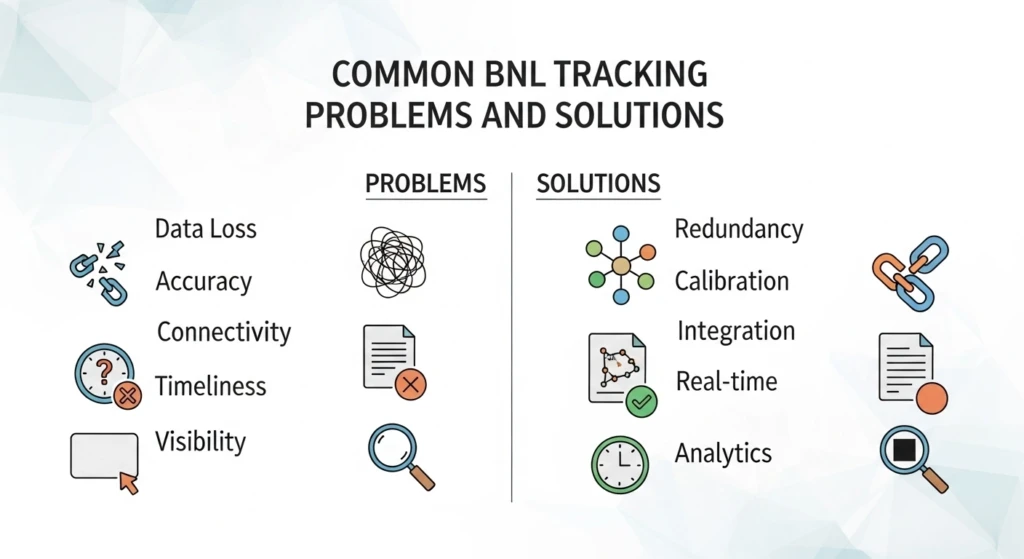
Tracking Number Not Recognized
When the tracking system shows “tracking number not found” or “invalid tracking number,” first verify you’ve entered the number correctly without typos, transposed digits, or extra spaces. Confirm you’ve copied the complete tracking number from your receipt including any prefixes or suffixes.
Allow 12-24 hours after booking for the tracking number to activate in the system, as initial data entry and pickup may take time. If the error persists after 24-48 hours, contact the sender to verify the correct tracking number or reach out to BNL customer service for assistance.
Tracking Shows No Updates for Extended Period
New shipments may not show tracking updates for 24-48 hours after booking until physical pickup occurs and the package receives its first scan at the origin facility. During long-distance transit, gaps of 12-24 hours between scans are normal as packages travel between distant hubs without intermediate checkpoints.
However, if tracking hasn’t updated for more than 48-72 hours without explanation, contact BNL customer service to investigate potential scanning issues, package misrouting, or operational delays affecting your shipment. Provide your tracking number for manual investigation.
Delivered Status Without Package Receipt
If tracking displays “delivered” but you haven’t received the package, immediately verify the delivery address shown in tracking matches your actual location. Check if the delivery timestamp aligns with when someone was available at the address.
Ask family members, roommates, neighbors, or building security if they accepted the package on your behalf. If the package cannot be located within 24 hours of the delivered status, contact BNL customer service immediately to file a non-delivery complaint with your tracking number and relevant details.
Shipment Stuck at Same Location
Packages may remain at transit hubs or sorting facilities for 24-48 hours during normal operations, especially at high-volume centers processing numerous shipments simultaneously. Extended stays beyond 72 hours indicate potential problems requiring investigation.
Common causes include incorrect or incomplete address information preventing proper routing, damaged labels affecting barcode scanning, missing documentation for restricted items, or operational backlogs during peak periods. Contact BNL customer service with your tracking number to expedite the shipment and resolve underlying issues.
Repeated Delivery Attempt Failures
Multiple failed delivery attempts typically result from recipient unavailability during delivery hours, incorrect or unreachable contact information, unclear delivery addresses without proper landmarks, or access restrictions at the delivery location requiring special arrangements.
Update your contact number with BNL customer service and provide detailed delivery instructions including landmarks, nearby references, and specific directions. Consider authorizing an alternate recipient or requesting the package be held at the nearest BNL facility for self-pickup.
BNL Service Coverage Across India
BNL Courier operates across India with service levels varying based on location accessibility, population density, and infrastructure availability. The company has established strong presence in major metropolitan areas while extending services to smaller cities through partner networks.
| Location Type | Service Level | Delivery Timeline | Coverage Details |
|---|---|---|---|
| Mumbai Region | Comprehensive | Same day to 2 days | Direct service, multiple daily pickups |
| Delhi NCR | Extensive | 1-3 days | Regional office support |
| Kolkata Area | Strong | 1-3 days | Origin city advantage |
| Ahmedabad Region | Good | 1-3 days | Regional office coverage |
| Major Metro Cities | Moderate | 2-4 days | Partner network support |
| Tier-2 Cities | Limited | 3-6 days | Extended transit times |
| Tier-3 Towns | Basic | 4-7 days | Scheduled delivery routes |
| Rural Areas | Selective | 5-10 days | May require hub pickup |
BNL specializes in regional deliveries within their operational zones, particularly in western and eastern India where their offices are located. For intercity deliveries between major metros, BNL provides reliable service with competitive transit times. Same-day and next-day delivery options are available for select routes within their primary service areas. Also Track: BOB Courier Tracking to know the live location of your parcel.
BNL International Courier Services
BNL provides international courier services through air cargo solutions, delivering documents and packages to over 220 countries worldwide. The company handles international shipments to major destinations including the United States, United Kingdom, Canada, Europe, Australia, and Far East countries.
International Tracking Process:
Domestic Phase: Track using your BNL tracking number while the shipment remains within India, covering pickup, domestic transit to the international gateway, and preparation for international departure.
Customs Clearance: Monitor export customs processing through BNL tracking. The system shows customs-related status updates during documentation verification, duty assessment, and clearance procedures.
International Transit: Once the shipment clears Indian customs and transfers to international airlines or partner carriers, you may receive an international tracking number for use during air transport and destination country entry.
Destination Country: After arrival in the destination country, track using the international tracking number on the destination country’s postal service website or the partner carrier’s tracking platform for final delivery updates.
International shipments experience longer transit times due to customs procedures, international flight schedules, and destination country logistics networks. Typical delivery timelines range from 4-7 days for major countries to 7-14 days for remote destinations.
BNL Tracking for Business Customers
Business customers shipping regular volumes through BNL benefit from enhanced features designed for commercial operations and bulk logistics management.
Bulk Shipment Tracking: Business clients can track multiple shipments simultaneously using spreadsheet uploads or bulk tracking interfaces, saving time compared to individual tracking queries.
Dedicated Account Management: Commercial customers receive dedicated support from account managers who understand specific business requirements and provide prioritized assistance for tracking issues or operational concerns.
Pickup Scheduling: Business accounts can schedule regular pickups at convenient times, ensuring consistent shipment processing without daily coordination requirements.
API Integration: For e-commerce platforms and retailers, BNL may offer API integration capabilities allowing automated tracking updates directly into business systems, order management platforms, or customer notification systems.
Custom Reporting: Business customers access detailed shipping reports filtered by date ranges, destinations, service types, or customer segments for business analysis and operational planning.
COD Services: For e-commerce businesses, BNL provides cash-on-delivery services with tracking visibility on payment collection and remittance status.
BNL Tracking Security and Privacy
BNL Courier maintains security measures to protect shipment information and customer privacy. Tracking data is accessible to users possessing the unique tracking number, preventing unauthorized access to shipment details.
Security Best Practices:
- Keep tracking numbers confidential and avoid sharing on public platforms or social media
- Access tracking portals only through official BNL website or verified third-party platforms
- Verify the authenticity of email or SMS notifications claiming to be from BNL
- Use secure internet connections when entering tracking information
- Report suspicious tracking-related communications to BNL immediately
- Do not click on links in unsolicited emails requesting tracking information or payments
BNL uses encryption methods for data transmission and storage to protect customer information from unauthorized access. Personal details such as complete addresses and phone numbers are not publicly displayed through tracking interfaces.
BNL Delivery Timelines and Expectations
Understanding typical delivery timelines helps set realistic expectations for your BNL shipments. Delivery speed depends on multiple factors including distance, service type, origin and destination locations, and current operational conditions.
| Route Type | Typical Timeline | Service Level |
|---|---|---|
| Intracity (Same City) | Same day to 1 day | Express service |
| Regional (Nearby Cities) | 1-3 days | Priority delivery |
| Metro to Metro | 2-4 days | Standard service |
| Metro to Tier-2 City | 3-5 days | Regular service |
| Remote Destinations | 5-10 days | Extended delivery |
| International Shipments | 4-14 days | Varies by destination |
Local deliveries within Mumbai, Delhi, Kolkata, or Ahmedabad typically occur within 2-3 working days. Outstation parcels to other states may take 4-6 days depending on destination accessibility. Air express services provide faster delivery for time-sensitive shipments with expedited processing and priority handling.
Optimizing Your BNL Tracking Experience
Save Tracking Information: Store tracking numbers in organized formats such as spreadsheets, note-taking apps, or dedicated folders for easy reference and future tracking needs.
Enable Notifications: Provide accurate mobile number and email address during booking to receive automatic tracking updates without manual status checks.
Track Proactively: Begin monitoring shipments the day after booking and check daily as expected delivery dates approach to identify potential issues early.
Verify Shipping Details: Double-check delivery address, recipient name, contact number, and pin code during booking to prevent tracking complications from incorrect information.
Keep Receipts Safe: Maintain shipping receipts until delivery completion, as they contain essential tracking numbers and booking reference information needed for inquiries.
Understand Service Options: Select appropriate service types based on urgency and budget, understanding that express services provide faster delivery with higher costs while standard services offer economical options with longer transit times.
Communicate with Recipient: Inform recipients about expected delivery dates and provide tracking numbers so they can monitor shipment progress and ensure availability for delivery.
Plan for Delivery: Once tracking shows “out for delivery” status, ensure someone is available at the delivery address during business hours to receive the package and prevent failed delivery attempts.
Handling BNL Delivery Exceptions
Address Corrections: If tracking shows address-related issues, contact BNL customer service immediately with complete correct address including landmarks, nearby references, and specific location instructions.
Recipient Unavailability: Coordinate with BNL to schedule convenient redelivery times, authorize alternate recipients, or arrange self-pickup from the nearest BNL facility.
Damaged Package: Document any visible damage with photographs before accepting delivery. Report damage to BNL within 24 hours with tracking number, photos, and invoice details for claims processing.
Missing Items: If the delivered package appears opened or items are missing, note this on the delivery receipt before signing. Contact BNL immediately to file a complaint with your tracking number and detailed description.
Payment Issues: For COD shipments, ensure correct payment amount is ready. If tracking shows payment-related holds, contact BNL to clarify payment requirements or update payment methods.
Customs Delays: For international shipments, provide required customs documentation promptly to avoid extended holds. Contact BNL’s customs team for guidance on necessary paperwork or duty payments.
BNL Customer Support Channels
BNL provides multiple channels for customer support and tracking assistance:
Phone Support: Call +91 22 23430888 during business hours for immediate assistance with tracking queries, delivery issues, or general inquiries.
Email Support: Send detailed queries to [email protected] for non-urgent issues, documentation requests, or formal complaints.
Office Visits: Visit BNL regional offices in Mumbai, Delhi, Kolkata, or Ahmedabad for in-person assistance, package pickup, or complex issue resolution.
Online Contact Forms: Use contact forms on the BNL website to submit inquiries that customer service teams will respond to within 24-48 hours.
Local Branch Support: For delivery area-specific issues, contact the nearest BNL branch or delivery station for localized assistance and coordination.
BNL Tracking for Different Shipment Types
Document Courier: Express document delivery for business correspondence, legal papers, and important documents with same-day or next-day delivery options in select areas.
Parcel Delivery: Standard parcel shipments for retail products, personal items, and general merchandise with tracking visibility throughout the delivery journey.
E-commerce Packages: Dedicated solutions for online retailers including bulk pickup, COD handling, and integration with e-commerce platforms for automated order processing.
Heavy Cargo: Freight services for larger shipments requiring special handling, with tracking updates at major checkpoints and estimated delivery windows.
International Shipments: Air cargo services for overseas destinations with customs clearance support and end-to-end tracking through partner networks.
Gift Delivery: Personal shipments to family and friends with options for special handling and delivery instructions to ensure safe arrival.
Future Technology in BNL Tracking
The logistics industry continues evolving with technology adoption improving tracking capabilities. Future enhancements in BNL tracking may include:
Mobile Application Development: Dedicated mobile apps for iOS and Android with enhanced features including push notifications, barcode scanning, and offline tracking history.
Real-Time GPS Tracking: Live vehicle location tracking during last-mile delivery providing customers with precise arrival time predictions and delivery vehicle visibility.
Automated Chatbots: AI-powered customer service assistants handling common tracking inquiries instantly without waiting for human agents.
SMS Integration: Enhanced SMS notification systems providing detailed tracking updates directly to mobile phones with clickable links to full tracking pages.
Predictive Analytics: Machine learning algorithms analyzing historical data to predict accurate delivery times and identify potential delays before they occur.
Digital Proof of Delivery: Electronic signature capture and photographic delivery confirmation accessible through tracking systems immediately after delivery.
Frequently Asked Questions (FAQs)
How long does it take for my BNL tracking number to become active and show status updates after booking?
A: BNL tracking numbers typically become active within 12-24 hours after shipment booking. The tracking number is generated immediately at booking, but status updates appear only after physical pickup occurs and the package receives its first scan at the origin facility or BNL office. During weekends, holidays, or high-volume periods, activation may take up to 48 hours.
What should I do if my BNL tracking shows “Out for Delivery” for multiple days without actual delivery?
A: “Out for Delivery” status normally indicates delivery will occur the same day, so extended periods in this status suggest a problem requiring immediate attention. Contact BNL customer service immediately with your tracking number to investigate the delay. This situation typically results from failed delivery attempts where the system wasn’t updated properly, incorrect delivery address requiring route modification, recipient unavailability without proper notification, or access restrictions at the delivery location preventing completion.
Can I track international BNL shipments, and how does international tracking differ from domestic tracking?
A: Yes, BNL supports tracking for international shipments, though the process differs from domestic tracking. Use your BNL tracking number to monitor the shipment while it remains in India, covering pickup through export customs clearance. Once the shipment departs India and transfers to international airlines or partner carriers, you may receive a new international tracking number for use during air transit and destination country delivery.
Why hasn’t my BNL tracking updated for several days, and should I be concerned about my shipment?
A: Tracking gaps of 24-48 hours during long-distance transit between facilities are relatively normal and not immediately concerning, especially for surface transport shipments traveling across multiple states. However, if tracking remains unchanged for more than 72 hours without any status updates or location changes, it indicates potential issues requiring investigation.
How do I file a complaint if my BNL tracking shows “Delivered” but I haven’t received my package?
A: If tracking shows delivered but you haven’t received the package, take immediate action to resolve the discrepancy. First, verify the delivery address displayed in tracking matches your actual location exactly. Check the delivery timestamp and recipient name in the tracking details. Ask family members, roommates, neighbors, building security, or reception if they accepted the package on your behalf. Search your property including porches, mailboxes, and secure delivery locations.